Window cleaning software, built round the round
CleanItAll keeps your customers in the order you walk them, each on their own cycle, and shows who's done, who's paid and who still owes. On your phone, with signal or without.
Free for your first 30 customers. No card, and nothing to download from an app store.
Your round, in walk order
A window round isn't really a calendar. It's a list of doors in the order you walk them, each one due again after so many weeks. That's how CleanItAll keeps it.
Each customer keeps their own cycle: every 4, 6, 8 or 12 weeks, or weekly and fortnightly. When you finish a door, its next clean is booked on that cycle, in the same place on the round.
Set the order once. Drag stops into place, or let it suggest an order, nearest door next. The round comes back in that order every time it's due, with the same notes.

- Notes at the door
- Side gate, back windows too, the dog. Notes stay with the customer and come up when you reach the house.
- Skipped or away
- Mark a door skipped or a customer away, and the round knows to come back next time.
- Rained off
- Move what's left of the day to another day. Nobody's cycle moves: the next clean is still counted from the day it was due.
- A round for each van
- Give a round to someone on your team. They see their doors; you see everything.
Round Day, with or without signal
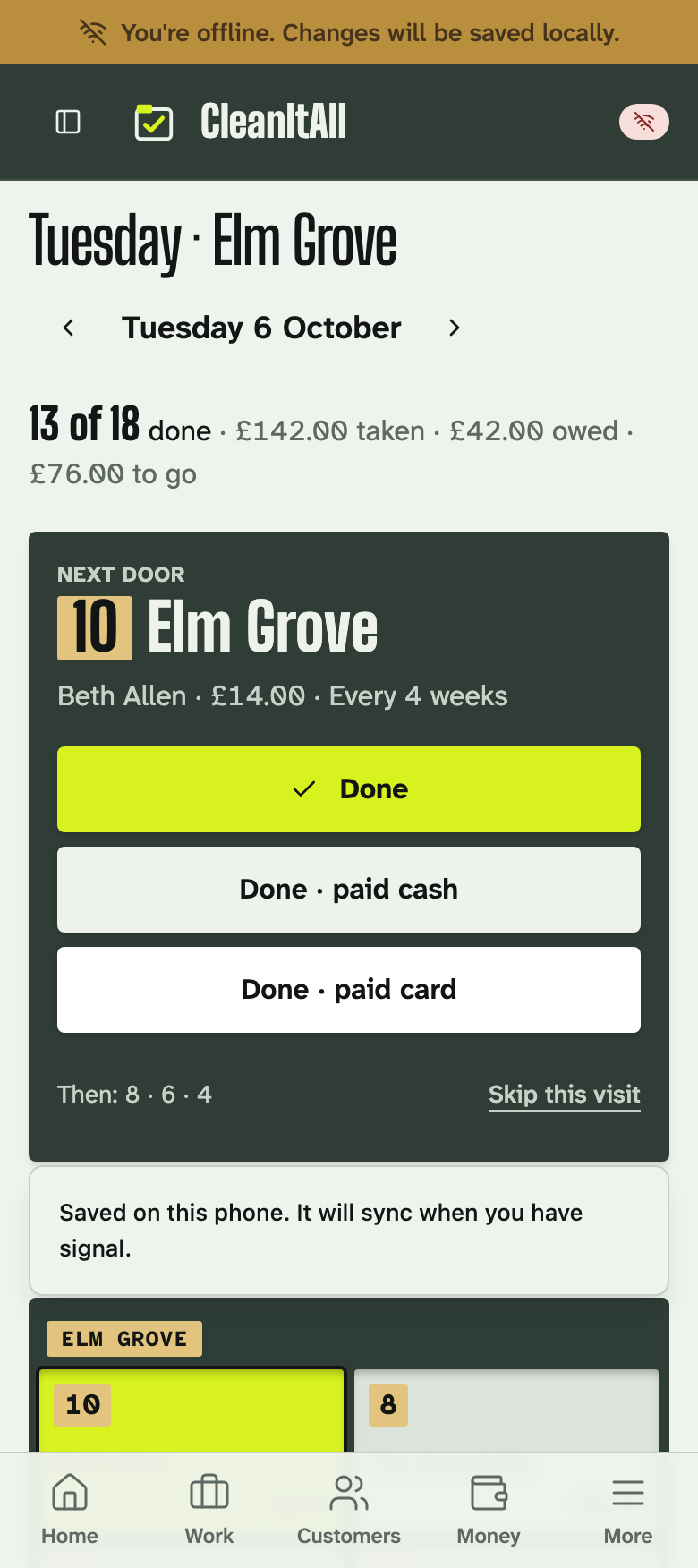
Round Day puts the next door in big type: the house number, the customer, the price, the cycle and your note. Under it are Done, Done · paid cash and Done · paid card, one tap each, and Skip this visit for when they've got the builders in. Across the top, how many doors are done, what you've taken and what's still owed.
Tick doors off and record payments with no connection at all. It all syncs when you're back in signal, so your phone and the office copy agree.
It runs in your phone's browser and you can add it to your home screen like any other app. There's nothing to get from an app store, and updates arrive on their own.
Paid at the door, or owed till next time
Most rounds get paid four different ways. Cash goes against the door as it's handed over, card customers pay from a payment link, bank transfers are matched to the invoice, and regulars on Direct Debit through GoCardless pay without you asking.
If nobody's in, or they'll pay next time, mark the door done and the money stays on their balance as owed. You can see who owes on the round, and take it next time or chase it from the office.
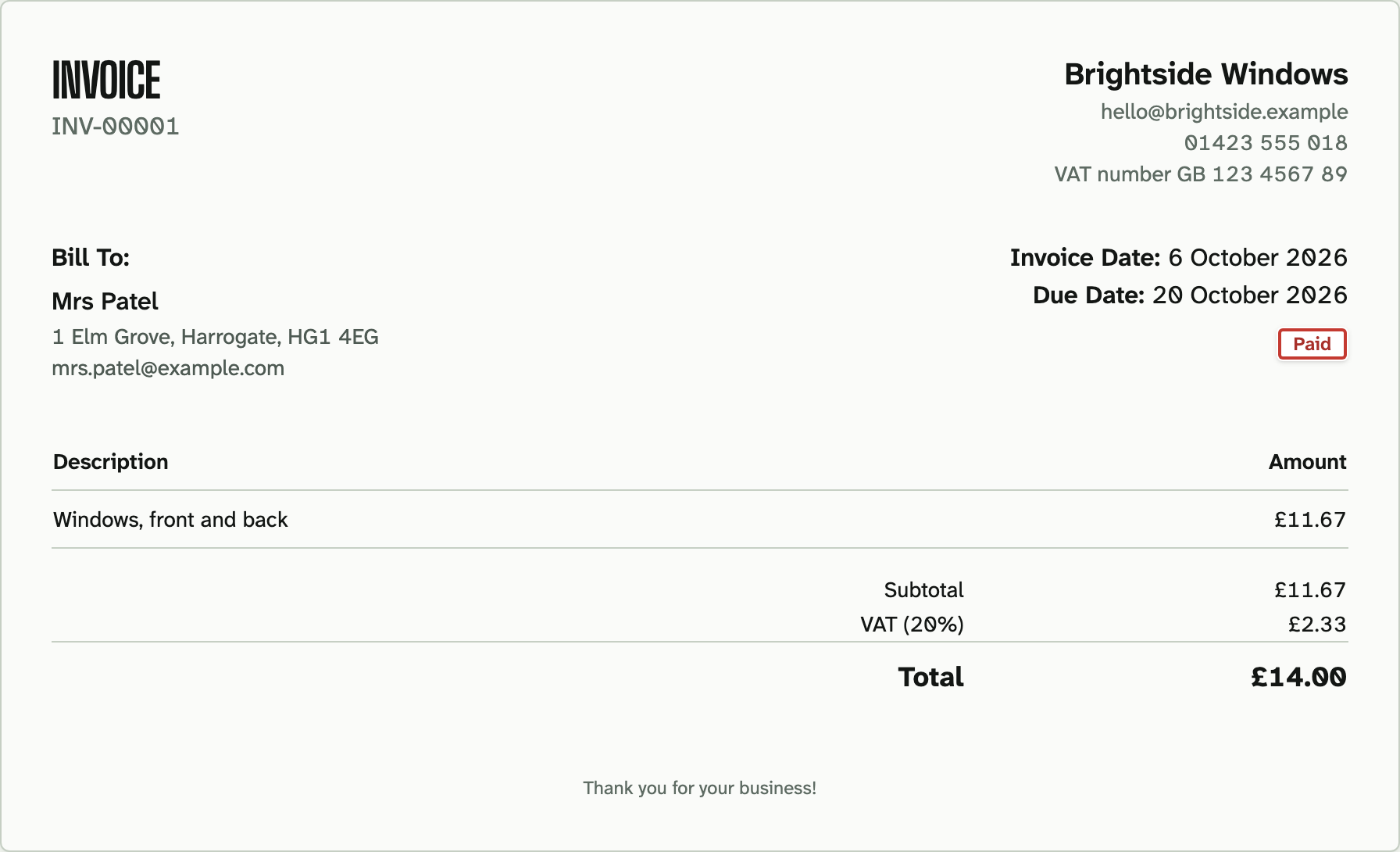
Want a proper paper trail? Turn on automatic invoicing and each finished clean raises its own invoice, emailed to the customer if you like.
Card payments and Direct Debit are charged by Stripe and GoCardless at their own rates. We don't add anything on top.
A reminder before you turn up
Customers get an email before you're due, 24 hours ahead unless you change it, so the side gate's unlocked and the car's off the drive. Prefer texts? Connect your own Twilio account and reminders go out from your number, at Twilio's price, with no credit bundles from us.
The reminder carries a link. If they're away or need you another day, they can say so from it instead of ringing you halfway up a ladder. You decide whether that applies straight away or waits for you to accept it.
Reminders and the customer portal come with Solo, £15 a month, and above.
Moving from a round book
Most rounds live in a book, a spreadsheet or another app. You can bring the list across in an evening.
Keep the book for the first full cycle. By the time every customer has come round once, you'll have checked each price and note against it, and you won't need it again.
- Type it up if it's on paper: one row per customer, with name, mobile, address, postcode, price, how often, when they're next due and which round.
- Import the spreadsheet and match your column headings. UK dates and £ signs are fine. From another app, export your customers as a CSV file and import that.
- Order each round once, the way you walk it.
- Check a few customers against the book, then take tomorrow's round with you.
Questions window cleaners ask
Does it work with no signal?
Yes. Tick doors off and record payments with no connection at all, and it syncs when you're back in signal. Open the day's round before you lose signal, so it's on the phone when you need it.
Is there an app to download?
There's nothing to get from an app store. CleanItAll runs in your phone's browser and you can add it to your home screen like any other app, on iPhone or Android, and on a laptop for the evening admin.
Can different customers be on different cycles?
Yes. Each customer keeps their own: every 4, 6, 8 or 12 weeks, or weekly and fortnightly, all on the same round.
What happens when it rains?
Move what's left of the day to another day. Nobody's cycle moves: the next clean is still counted from the day it was due.
What if a customer doesn't pay on the day?
Mark the door done. The money stays on their balance as owed, and you can take it next time or chase it from the office.
How much does it cost?
Free for your first 30 customers, with one login and no card. Solo is £15 a month (£18 with VAT) for unlimited customers and two logins, with reminders and the customer portal.